
前言
最近从一台电脑安装php项目报错
- The openssl extension is required for SSL/TLS protection but is not available. If you can not enable the openssl extension, you can disab
- Problem 1
– maennchen/zipstream-php is locked to version 3.1.2 and an update of this package was not requested.
– maennchen/zipstream-php 3.1.2 requires php-64bit ^8.2 -> the php-64bit package is disabled by your platform config. Enable it again with “composer config platform.php-64bit –unset”
解决方法
步骤 1:下载 64 位 PHP 8.2.x 版本
从 PHP 官方 Windows 下载地址获取匹配版本的 64 位 PHP:
- 选择「PHP 8.2.x」系列(建议和当前版本接近,如 8.2.29)
- 选择「Non Thread Safe (NTS)」(和你当前的 NTS 一致,避免兼容问题)
- 选择「x64」(64 位)、「Visual C++ 2019」版本
- 下载「Zip 包」(无需安装,解压即可用)
步骤 2:替换现有 32 位 PHP 环境
- 停止当前依赖 PHP 的服务(如 XAMPP/WAMP/Nginx/Apache,若仅用 CLI 可跳过);
- 找到你当前 PHP 的安装目录(可通过
where php命令查询); - 将原目录备份(防止出错可恢复),然后删除原目录所有文件;
- 将下载的 64 位 PHP Zip 包解压到原 PHP 安装目录(保持路径不变,无需重新配置环境变量);
- 复制原 PHP 目录中的
php.ini配置文件到新解压目录(保留你的扩展、时区等配置,无需重新配置)。
步骤 3:验证 64 位 PHP 是否生效
打开新的命令行窗口(关键!避免环境变量缓存),执行:
php -v
步骤 4:正常安装依赖
切换到项目根目录,直接执行即可,无需额外配置:
composer install
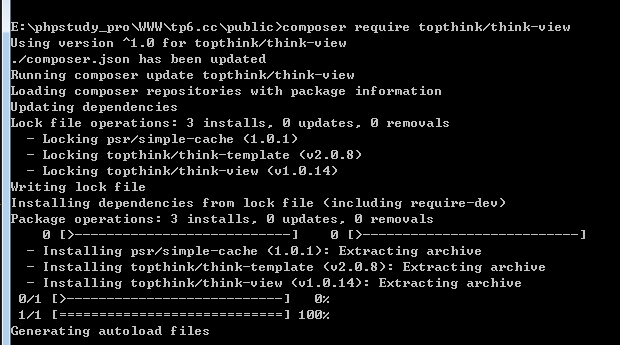


![新手使用Tp6视图Driver [Think] not supported. 解决方法](https://blog.chiyuba.com/wp-content/uploads/2021/10/Pasted-3.png)
评论
请先登录后发表评论